


Laptop Charging Port Repair & DC Jack Replacement Service in Pune - Fix 'Plugged In Not Charging' Issues

Quality DC Power Jack Repair & Replacement Service at Affordable Cost.

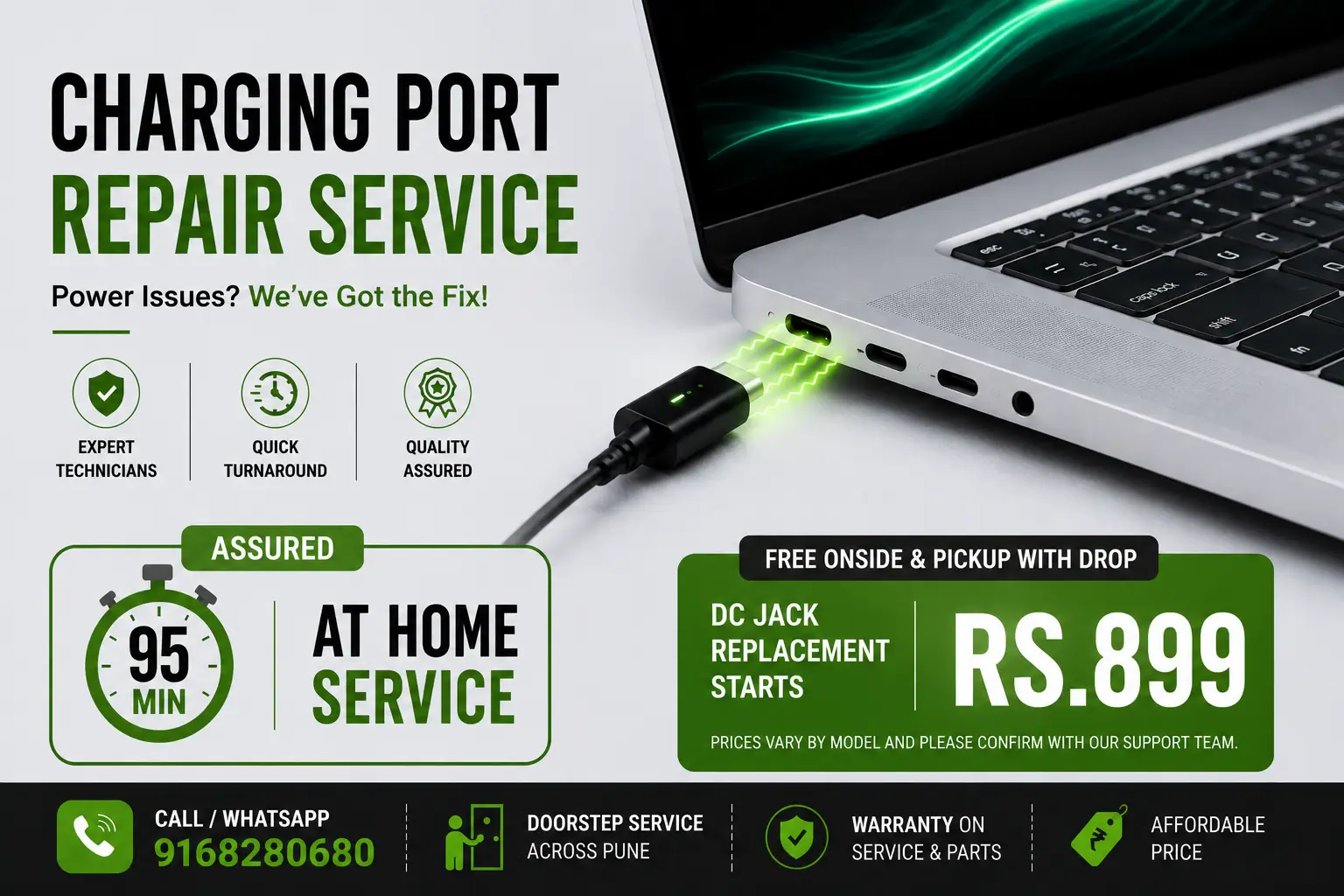
Looking for laptop charging port repair near me in Pune? We specialize in laptop DC jack repair and charging port replacement services. Fix your "laptop plugged in not charging" issues with our expert technicians. Get laptop charging port repair cost starting from Rs.899. Contact us today for all your laptop repair needs. #ChargingPortRepair #dcjackrepair #chargingissue #chargingportrepaircost

Google 4.7 star rating - verified customer reviews for laptop repair service
Trustpilot 4.2 star rating - customer satisfaction guarantee for charging port repair
Mouthshut 4.5 star rating - trusted laptop service reviews in Pune
JustDial 4.4 star rating - verified doorstep laptop repair service
Professional laptop charging port repair service technician working on DC jack replacement in Pune - certified laptop repair expert

Top Laptop Charging Port Repair & DC Jack Replacement Services In Pune

Recommended
Inspection & Diagnosis
Recommended Inspection, If Laptop Battery Not Charging or DC Jack Damaged
Starts₹ 177

If you are unsure about the issue, our engineer will inspect and diagnose your laptop. The cost of repair & replacement parts is not included in the visit charges.

Charging Port Loose Fix
Every month, More than 100+ Customers Opt to DC Jack Repair & Loose Fix
Starts₹ 699

If your laptop's charging port is loose and causing charging issues, our technician will fix and fabricate the port and will get it fixed.

Most Popular
Laptop Charging Port Repair
Laptop Charging Port Replacement at Affordable Cost At Home Service
Starts₹ 899

In general, the cost of repairing a damaged charging port on a laptop can range from Rs.600 to Rs.1400 and varies on laptop model numbers.

DC Jack USB Port Repair
Laptop USB Port Repair & Replacement at Flexible Cost
Starts₹ 999

Usually, the starting price of even the best quality USB port repair ranges from Rs.999 to Rs.1600 approximately and Varies on laptop model.

Special discount offer - get 177 rupees off on first laptop repair booking

Get ₹ 177 OFF On
First Booking

Minimum Order Value ₹ 767

USE CODE FIRST177

Is Your Laptop Plugged In But Not Charging? Here's How We Fix Charging Port Issues

If your laptop's charging port isn't working, then you may need to try a few different things to get it working again. First, check the power cord and make sure it is firmly connected to both the laptop and power outlet. If it is, then you may need to replace the power cord. If that doesn't work, then you may need to replace the laptop's battery or charging port. If you're comfortable doing so, you can check the battery and charging port yourself. If not, then it may be best to take your laptop to our a certified repair shop.

How to fix laptop dc power jack repair charging port? Laptop plugged in and not charging? If you are facing this problem with your device then you are with right support team to fix this problem for you. We also provide comprehensive laptop repair services in Pune including screen replacement and keyboard repair.

HP laptop charging port repair cost?

The cost to replace the charging port / jack on a laptop depend totally on the exact model laptop. DC jacks are a simple replaceable Cost Rs.899 part.

Charging port repair cost in india range between Rs.899 to Rs.1400 depend on type of dc jack and laptop model number.

DC Jack Replacement – Secure2pc Computing Services in Hadapsar, Kharadi, Dhanori & Pune - Is your laptop losing charge or refusing to power up? A damaged or loose DC jack could be the root cause. At Secure2pc Computing Services, we specialize in DC jack replacements for all major laptop brands across Hadapsar, Pune, Kharadi, and Dhanori. Get fast, expert DC jack repair and restore your laptop's charging performance without delay. Call now or drop in for a quick diagnosis.

Can a laptop charging port be fixed? Quick Basic Solution: Yes this can be repaired. If your laptop is plugged in not charging and you using windows 10 or windows 7 and you have non removable battery then you need to first discharge the laptop available battery. Then press laptop power button for hard reset for 15 seconds. Then you can give it try to insert charger pin and try to charge the laptop battery. Laptop not charging when turned on then you need to reinsert and see if there is any possibility of loose connection.

Laptop DC Jack Repair in Pune | Reliable Charging Port Replacement

Secure2pc.com is a trusted choice for laptop DC jack repair in Pune. If your laptop fails to charge or the power connector is loose, our skilled technicians offer expert DC jack replacement and charging port repair services using genuine parts, ensuring long-lasting results. Whether you prefer onsite repairs at home or visiting our service center, we cater to all major laptop brands like Dell, HP, Lenovo, Asus, Acer, and more. We provide affordable, transparent pricing starting from Rs.899, with free pickup and delivery options for your convenience. With Secure2pc, expect fast turnaround times and warranty-backed repairs, restoring your laptop’s power connection efficiently and hassle-free. Book your laptop’s DC jack repair with Secure2pc.com todaylaptop charger repair services in Pune.

Secure2pc.com offers expert laptop DC jack repair services in Pune, ensuring your laptop’s charging issues are resolved quickly and reliably. Our skilled technicians specialize in DC jack replacement and laptop charging port repair, servicing all major brands including Dell, HP, Lenovo, Asus, and Acer. Whether you prefer onsite laptop DC jack repair Pune or convenient doorstep service, we provide affordable and transparent pricing starting from Rs.899.

Our professional laptop charger repair Pune service includes thorough diagnosis, use of genuine replacement parts, and warranty-backed repairs. With free pickup and delivery, Secure2pc.com is the trusted choice for reliable laptop power jack repair service Pune users depend on. Restore your laptop’s charging functionality hassle-free—book your laptop DC jack repair at home in Pune with Secure2pc today.

Why is my laptop plugged in and not charging?

The most common reason why your laptop is plugged in but not charging is a faulty power adapter or cable. In some cases, the battery may be bad and need to be replaced. Other possible causes include a damaged charging port, a problem with the laptop's power settings, or a faulty power cord. If your laptop is not charging, it is important to diagnose the issue in order to determine the best course of action. In some cases, the problem can be resolved quickly and easily, while other times it may require professional repair.

How to fix laptop charging problem? The laptop charging issue is not particularly related to one laptop brand. Charging issue sometime may relate to charger or adapter. Buy new charger can fix this issue. However, we always advise the customer to first verify and confirm that this charging issue is related to damage charging port or adapter. Based upon, we advise the customer with solution to fix laptop charging point issue.

HP laptop charging is not working

If your HP laptop is not charging, it could be a sign of a faulty battery, a broken charger, or a loose power connection. To troubleshoot the issue, first make sure the laptop is plugged in correctly and the charger port is not damaged or blocked. If the laptop is still not charging, try a different outlet, or plug the charger into a surge protector or power strip. If the battery is not charging, you may need to replace it. Additionally, the charger itself could be faulty and need to be replaced. If you have ruled out all of these possibilities, the issue could be related to a hardware problem and you should contact a technician for help.

The cost of repairing a laptop charging port on an HP laptop in Pune, India, can vary depending on the model and the complexity of the repair. Generally, the cost of a repair can range anywhere from Rs.899 to Rs.1400. The cost may also vary depending on the service provider and their labor charges. It is important to find a reliable and trustworthy service provider to ensure the repair is done correctly and the laptop is back up and running in no time.

Are you having trouble with your HP laptop's charging port? Don't worry, we can help. At Secure2pc, we specialize in laptop charging port repairs and can provide you with a cost-effective solution. Visit our website or give us a call for more information about our services and pricing. #Secure2pc #HP #ChargingPortRepair #LaptopRepair.

Here's what you need to do: Open the Device Manager by searching for it or right-clicking the Start button and selecting Device Manager. Click Batteries on the list to expand it and you should see two items: Microsoft AC Adapter and Microsoft ACPI-Compliant Control Method Battery. Right-click on each item and choose Uninstall device. Yes, you are uninstalling your laptop's battery drivers, but don't worry because they will automatically be re-installed when you restart your laptop. Shut down your laptop. Unplug the power cable from your laptop and test it.

If above steps don't help to resolve the charging point or you continue to have laptop charging problem, then it's a sign that to seek for professional service to resolve the laptop plug in and charging issues. Sometime issue also repair attached with motherboard repairing, handling such things on professional level is a good decision. We also provide laptop battery replacement services.

Buy a DC Jack Connector Socket Port with Cable for HP 15R (hp15r), 15G (hp15g), 15-R, 15-E (hp15e), 15J (hp15j) P/N 717371-TD6 Series Laptop dc Jeck online. Also available is a Dell DXR7Y Laptop Charger DC Connector Power Jack Charging Port Cable, a Latitude E6430 DC30100HP00 DC30100HJ00 DC Power Jack Cable Connector Socket, and an HP 240 G4, 240 G5, 246 G4, 246 G5, 250 G4, 250 G5, 255 G4, 255 G5, 240 G6, and 245 G6 DC Power Jack Cable Connector Socket.

Asus laptop charger port repair cost?

The cost of getting a laptop charger port repaired on an Asus laptop depends on the model of laptop and type of repair needed. Generally, replacing the port may cost anywhere from Rs.899 to Rs.1400, while repairing the existing port may cost around Rs.900-Rs.1100. It is recommended to bring the laptop to a professional repair shop to get an accurate estimate of the repair cost.

Laptop USB Port Repair Or Replacement Cost starting from Rs.600 and it may goes upto Rs.1400. This cost is very comfortable for people's use, which is why people can benefit themselves very efficiently & with a greater focus on the long-lastingness of the charging port performance and durability.

Laptop won't charge or turn on

When your laptop won't charge or turn on, it can be a very frustrating experience. The first step is to determine what the cause of the issue is. If the laptop isn't receiving power, check the power adapter and power cable to ensure they are properly connected to the laptop and a working electrical outlet. If the laptop isn't turning on, first check to make sure the power adapter is properly connected to the laptop and a working electrical outlet. Then try holding down the power button for at least 10 seconds to see if the laptop will turn on. If the laptop is still unresponsive, the battery may need to be replaced. In some cases, the laptop may need to be serviced by a professional to diagnose and repair the issue.

The laptop is not charging?

A dead adapter is one of the most common reasons your laptop isn't charging. First check, whether the charging port is making a good connection with the adapter and charging brick / point. Check the power jack on the laptop. Check charger, power cable later and see any damage you observed for it.

We received, handled and resolved many queries related to plugged in not charging Dell, HP laptop not charging no light, Laptop battery plugged in not charging, MSI laptop plugged in not charging, Lenovo laptop not charging, Laptop plugged in not charging HP. lenovo laptop charging issues fix.

Quick Fix: HP laptop charging port Repair issue can be resolved by diagnosis the charging point. If there is a fault is noted then simply changing the DC jack or power jack, the issue can be resolved. The replacement of DC Jack starts Rs.899.

How do I know if my laptop charger port is broken? 

To determine if the laptop charger port is broken, check for a few signs. If the charger is not connecting or if the laptop is not charging, this is a good indication that the charger port might be broken. Additionally, a damaged charger port can also cause the laptop to overheat or shut down unexpectedly. If the laptop is still functioning but the charger is not connecting properly, it’s possible that the charger port is damaged. To confirm, try using a different charger to see if it connects. If the same issue persists, the power port may be broken and need to be replaced.

What is the cost of repairing charging port in Pune India?

The cost of repairing a charging port in Pune, India depends on the model of your laptop and the type of repair needed. Generally, the cost of repairing a charging port ranges from Rs.600 - Rs.1400. This includes one charging port replacement, labour charges and taxes. For more complex repairs, like mother board replacement, the cost can range from Rs. 1600 - Rs. 3200. It is important to note that the cost of repair may vary depending on the service provider. It is recommended to get a quote from multiple service providers to ensure you get the best deal.

Laptop Charging Port Replacement

Replacing a laptop's charging port can seem daunting, but it's actually not that difficult. The first step is to find a replacement charging port that is compatible with your laptop model. Once you have the correct port, it's time to open the laptop and remove the old port. Carefully remove the screws and disconnect the cables, then gently pull the old port out. Install the new port by reversing the steps you took to remove the old port. Secure the screws, reconnect the cables, and test the new port. If all is good, close the laptop and enjoy your newly repaired laptop.

5 ways to fix laptop battery not charging 

1. Check the power cord: Make sure the power cord is securely connected to the laptop and wall outlet. Try a different outlet to ensure power is getting to the laptop.

2. Check the battery contacts: Clean the metal contacts on the battery and laptop with a cotton swab and rubbing alcohol.

3. Reset the battery: Remove the battery and unplug the laptop. Hold down the power button for 30 seconds. Reinsert the battery and plug the laptop back in.

4. Update the BIOS: Outdated BIOS can cause charging issues. Update your laptop's BIOS to the latest version.

5. Replace the battery: If none of the above solutions work, the battery may be defective and needs to be replaced.

How to fix plugged in, not charging  

If your laptop is plugged in but not charging, the first thing you should do is check the power adapter. Make sure the adapter is securely plugged into the wall outlet and the laptop. If it is secure, try a different wall outlet. If the laptop still doesn't charge, try plugging in a different power adapter.

The next step is to make sure the battery is working properly. Try taking out the battery and putting it back in. If the laptop still isn't charging, you can try resetting the battery. To do this, hold down the power button for at least 30 seconds.

Another possible reason your laptop isn't charging is due to a faulty power outlet. Try plugging the power adapter into a different outlet to see if that solves the problem. If not, you may need to replace the outlet.

Finally, if all else fails, you may need to replace the laptop's power adapter or battery. Make sure you get the right model for your laptop, as using the wrong one can damage the laptop. If you're still having trouble, it's best to take it to a professional.

Laptop charging port replacement

Having trouble charging your laptop? It may be time for a replacement of the charging port. Replacing the charging port of your laptop is a straightforward process that can resolve any issue and get your computer up and running again. Before getting started, be sure to test your power cord and adapter, to ensure they’re not the source of the problem.

If the charging port is the issue at hand, you’ll need a replacement port and the instructions specific to your laptop model. With the right resources, replacing the charging port yourself can help save you some cash. However, if you’re not comfortable with the process, visiting an expert technician is also an option.

Gather all of your supplies, then disconnect the laptop, removing the battery and unscrewing the laptop case. You’ll then need to locate the DC-in board and carefully disconnect it from the motherboard. Use caution throughout this process and make sure not to damage other components.

Once successfully dislodged, attach the replacement port and reassemble your laptop. Make sure all connections are secure, then turn on the power supply and test the new port. With any luck, your laptop should now be fixed and working like new.

Laptop charging port types

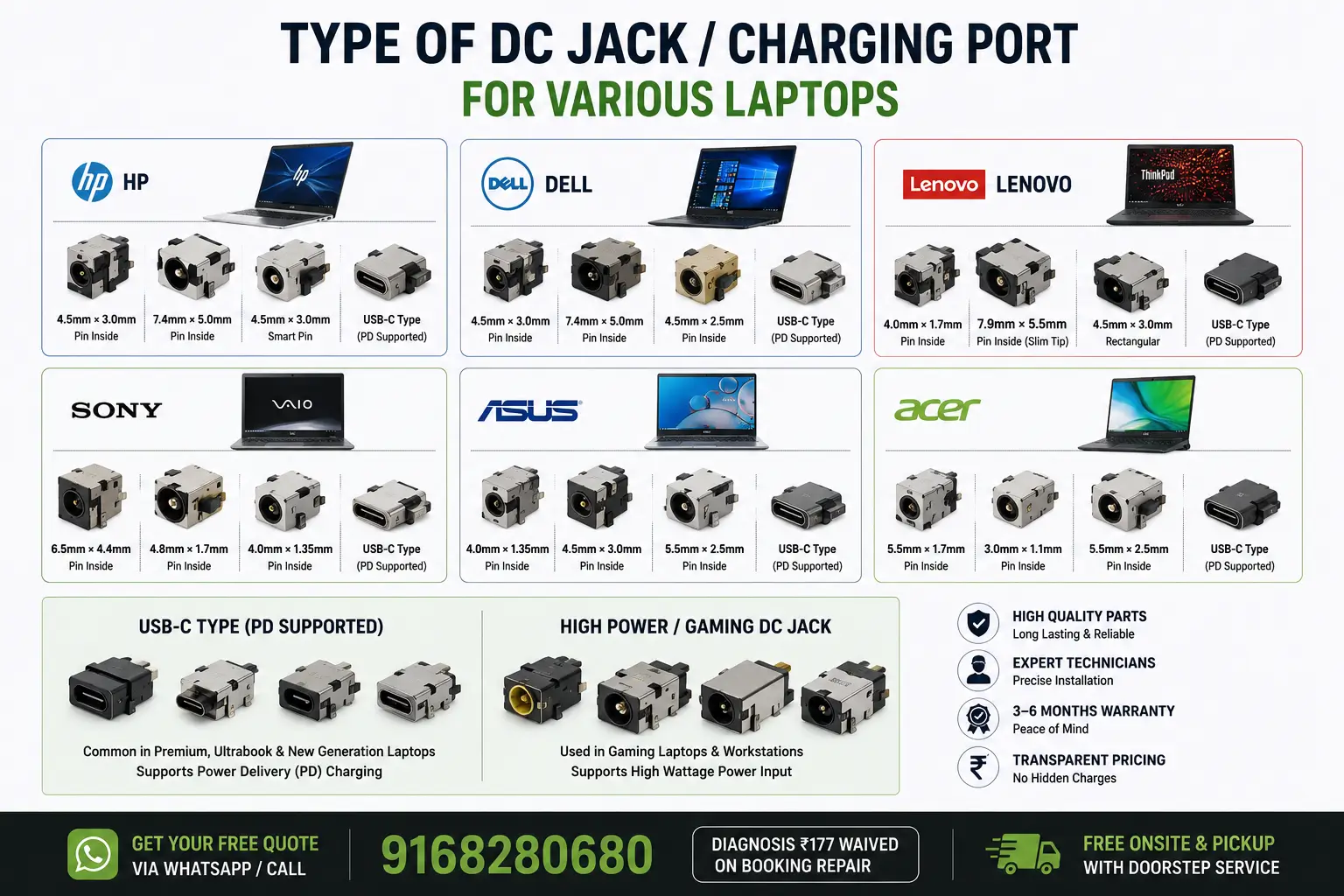
Laptop charging ports come in many shapes and sizes. The most common are DC power jacks, USB-C, MagSafe, and barrel connectors. DC power jacks are the most traditional type of charging port, found on many older laptops. They are round and have a central pin. USB-C is a newer type of charging port, found on more modern laptops. It is smaller than the DC power jack and has a reversible design, so it can be plugged in either way. MagSafe is an Apple-specific charging port that uses a magnetic connection to ensure that the power cord stays securely attached to the laptop. Finally, barrel connectors are a type of charging port used on some older laptops. They are cylindrical in shape and have two concentric metal cylinders. Knowing the different types of laptop charging ports can help you determine which type of power cord or adapter you need for your laptop.

Are you finding laptop charging port repair near me? We ensure that you get 100% fix for power charging issue. Call Secure2pc at 9168280680.

Frequently Asked Questions About Laptop Charging Port Repair

How much does laptop charging port repair cost in Pune?

Laptop charging port repair cost in Pune starts from Rs.899. The exact DC jack repair cost depends on your laptop model and the complexity of the repair. Most charging port replacement services range between Rs.899 to Rs.1400.

How long does charging port repair take?

Most charging port repairs are completed within 95 minutes. Complex repairs involving motherboard work may take up to 2-3 hours.

Can a damaged charging port be repaired?

Yes, most damaged charging ports can be repaired. We specialize in DC jack replacement and soldering repairs to restore full functionality.

Do you provide warranty on charging port repair?

Yes, we provide a 3-month warranty on all charging port repairs and replacements performed by our certified technicians.

What are the signs of a faulty charging port?

Common signs include: laptop not charging, intermittent charging, charger plug feels loose, laptop only charges in certain positions, or charger gets unusually hot.

Do you repair all laptop brands?

Yes, we repair charging ports for all major laptop brands including Dell, HP, Lenovo, Asus, Acer, Sony, Samsung, and more.

What causes a laptop charging port to stop working?

Common causes include: physical damage from dropping the laptop, loose connections from frequent plugging/unplugging, dust and debris accumulation, power surges, manufacturing defects, or normal wear and tear over time.

Can I fix a loose charging port myself?

While basic cleaning might help temporarily, repairing a loose charging port requires specialized tools and technical expertise. We recommend professional repair to avoid further damage to your laptop's motherboard.

Do you offer doorstep laptop repair service?

Yes, we provide convenient doorstep laptop repair service across Pune. Our certified technicians will visit your location, diagnose the issue, and perform the repair on-site with your approval.

What is the difference between charging port repair and replacement?

Repair typically involves fixing loose connections or minor damage, while replacement means completely replacing the DC jack with a new one. The cost and time vary based on the extent of damage to your laptop.

How can I prevent charging port damage?

Avoid yanking the charger cord, don't use excessive force when plugging in, keep the port clean and dry, use original chargers, and handle your laptop carefully to prevent drops or impacts.

What should I do if my laptop charger gets hot?

Stop using the charger immediately and contact us for inspection. An overheating charger could indicate a problem with the charging port or adapter, which should be checked by a professional to prevent damage to your laptop.

Can a faulty charging port damage the motherboard?

Yes, a damaged charging port can cause power surges that may damage the motherboard or other components. Early repair prevents costly motherboard replacement and data loss.

Do you use genuine parts for charging port repair?

Yes, we use high-quality, compatible replacement parts for all charging port repairs. Our technicians ensure proper fitment and functionality for long-lasting performance.

How do I know if I need charging port repair or battery replacement?

Try charging with a different charger and cable. If the issue persists, it's likely the charging port. If your laptop charges with another adapter but the battery doesn't hold charge, you may need battery replacement.

What is the success rate of your charging port repairs?

We have a 100% success rate for charging port repairs performed by our certified technicians. All repairs are tested thoroughly before delivery to ensure complete functionality.

Can you repair charging ports for gaming laptops?

Yes, we repair charging ports for all types of laptops including gaming laptops from brands like ASUS ROG, MSI, Alienware, and Razer. Gaming laptops often have specialized ports that require expert handling.

How much does emergency charging port repair cost?

Emergency repairs start from Rs.1199 and may include additional charges for same-day service. Contact us immediately for urgent charging port repair needs.

Do you provide repair service for business laptops?

Yes, we provide professional repair services for business laptops including HP ProBook, Lenovo ThinkPad, Dell Latitude, and other enterprise-grade laptops with minimal downtime.

This content was last updated on 13/11/2025 at 09:23 PM.

 No Piracy mark No Piracy: We Don't Install Pirated Softwares.